Understanding the Wooting 60HE v2 Keyboard
The Wooting 60HE v2 keyboard represents a significant advancement in the realm of mechanical keyboards. With its unique Hall Effect switch technology and robust feature set, it seamlessly marries performance with customization. This keyboard is tailored for gamers and typists alike, promising enhanced responsiveness and versatility in a compact layout. For those looking to elevate their typing experience, delving into Wooting 60HE v2 upgrades is essential to unlock the full potential of this remarkable device.
What Sets the Wooting 60HE v2 Apart?
The Wooting 60HE v2 stands out in a crowded market due to its innovative design and advanced technology. Unlike traditional mechanical keyboards, which rely on a single actuation point, the Wooting 60HE v2 employs Hall Effect switches, allowing for analog input. This means that players can enjoy variable actuation points, providing nuanced control in gaming scenarios. Furthermore, the keyboard supports true 8 kHz polling, resulting in low latency and instant feedback, making it an excellent choice for competitive gaming.
Key Features and Specifications
- Analog Input: Variable actuation for more precise control.
- Polling Rate: True 8 kHz for minimal latency.
- Hot-Swappable: Ability to change switches without soldering.
- Customizable Backlighting: RGB lighting for personal flair.
- Compact 60% Layout: Saves desk space while retaining essential functions.
Comparing Wooting 60HE v2 Upgrades to Other Keyboards
When comparing the Wooting 60HE v2 to other popular mechanical keyboards, it's essential to consider its unique features. Many traditional keyboards lack the analog capabilities of the Wooting, which can greatly enhance gameplay mechanics in titles that support it. Additionally, the keyboard's customization options, including switch choice and programmable keys, put it ahead of standard models that offer limited personalization.
The Importance of Customization
Customization is a cornerstone of the mechanical keyboard community. Players and typists seek to tailor their setups to fit their unique preferences and needs. Customizing your Wooting 60HE v2 is not just about aesthetics; it can drastically improve functionality and comfort, leading to a better overall experience.
Why Upgrade Your Wooting 60HE v2?
Upgrading your Wooting 60HE v2 can transform a solid keyboard into a personalized powerhouse. Whether you're looking to enhance the acoustic profile with better-sounding switches or want to match your keycap design to your gaming setup, upgrades can significantly improve your typing and gaming experience. Furthermore, as gaming technologies evolve, keeping your keyboard up-to-date ensures you can take full advantage of the latest features in your favorite titles.
Common User Challenges with Stock Keyboards
Many users find that stock keyboards do not meet their specific needs. Common issues include uncomfortable key feel, uninspiring acoustics, and limitations in switch responsiveness. By recognizing these pain points, users are encouraged to explore upgrades that can address these challenges and elevate their typing experience.
Personalizing Your Typing Experience
Personalization can range from selecting the perfect key switches to choosing themed keycaps that reflect your style. This not only enhances the visual aspect of your keyboard but also impacts feel and comfort, making long typing sessions or gaming marathons more enjoyable.
Popular Upgrades for Optimal Performance
When considering upgrades, it's essential to choose those that align with your usage patterns. For example, a gamer may prioritize swift actuation times, while a typist may favor tactile feedback. Below are some widely recommended upgrades that can enhance your Wooting 60HE v2.
Top Switch Options for Your Wooting 60HE v2
- Linear Switches: Perfect for gamers who prefer smooth, uninterrupted key presses.
- Tactile Switches: Provide feedback with a noticeable bump, great for typists seeking precision.
- Clicky Switches: Offer an audible click, satisfying for those who enjoy auditory feedback.
Choosing the Right Keycaps
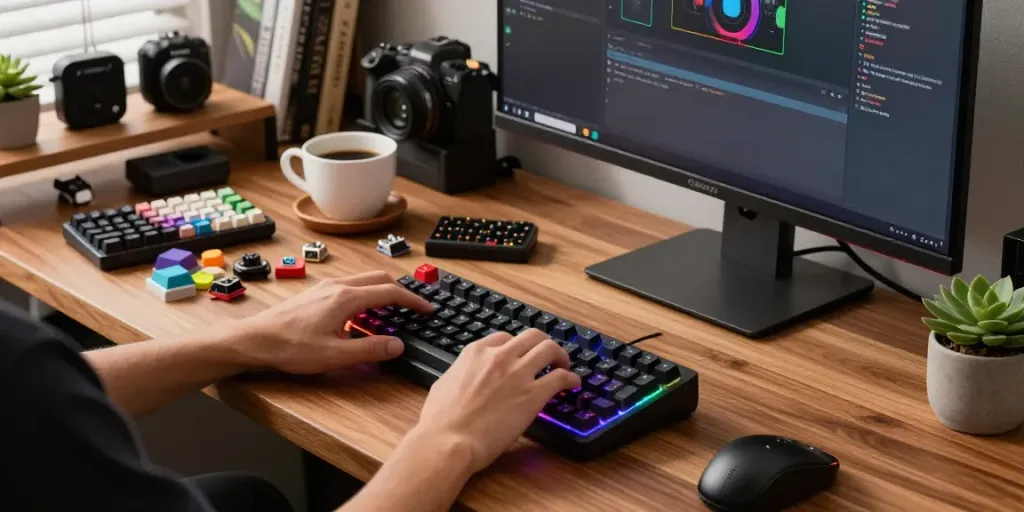
Selecting keycaps can drastically change both the aesthetics and feel of your keyboard. Look for keycaps made from durable materials like PBT, which offers a premium feel and longevity. Additionally, choosing the right profile—such as SA or DSA—can provide varying heights and shapes that enhance typing comfort.
Enhancing Acoustics with Mods
Improving the sound profile of your Wooting 60HE v2 can be achieved through various modifications. Adding dampening foam between the PCB and the case can reduce vibrations, leading to a more satisfying typing sound. Additionally, choosing the right switches can also influence acoustics; for a quieter experience, opt for linear switches over clicky ones.
Implementation Strategies for Successful Upgrades
Upgrading your Wooting 60HE v2 doesn’t have to be daunting. With the right strategies, anyone can implement significant changes with ease. Here’s how to get started.
Step-by-Step Guide to Installing Upgrades
- Gather Tools: You'll need a keycap puller, switch puller, and screwdrivers.
- Remove Keycaps: Use the keycap puller to carefully remove existing keycaps from your keyboard.
- Swap Switches: If you're replacing switches, use the switch puller and insert new ones in the desired layout.
- Reassemble: Replace the keycaps and ensure everything is securely fastened.
- Test Functionality: Once reassembled, plug it in and test all keys to ensure they function correctly.
Recommended Tools for Customization
- Keycap Puller: Essential for safely removing keycaps without damaging them.
- Switch Puller: A must-have for quick and easy switch swapping.
- Chair Mat: Provides a clean workspace and keeps components from rolling away.
Testing Performance After Upgrades
Once upgrades are complete, it's crucial to test the performance of your keyboard. Use online switch testers or simple typing tests to assess responsiveness and comfort. Adjustments can be made if any keys feel off or if there's an unexpected sound profile.
Future Trends in Keyboard Customization for 2026
The world of keyboard customization is rapidly evolving. As technology advances, new modifications and features are becoming available, continuously enhancing the user experience.
Emerging Modifications and Innovations
With the rise of smart technologies, we can expect integration of more advanced features in keyboards, such as customizable OLED displays, enhanced wireless capabilities, and even AI-driven personalization based on user typing patterns.
Community Insights on Customization Trends
Communities centered around keyboard customization are vibrant and full of innovation. By participating in forums and social media groups, users can gain insights into the latest trends and share their unique modifications, inspiring others to explore their own setups.
Preparing for the Next Generation of Keyboards
As we look towards 2026 and beyond, keyboard enthusiasts will need to stay informed about the latest advancements in technology and design. Keeping an eye on trends will ensure you are always ahead of the curve, ready to adopt new features and enhancements for your setup.
What are the best upgrades for the Wooting 60HE v2?
Some of the best upgrades for the Wooting 60HE v2 include hot-swappable switches for personalization, themed keycaps for aesthetics, and acoustic modifications for a better sound profile. Always consider your personal preferences and usage habits when selecting upgrades.
How does customization improve gaming performance?
Customization can enhance gaming performance by allowing for a personalized feel and actuation tailored to individual preferences. This can lead to faster response times, increased accuracy, and overall better control during gaming sessions.
What switch types are compatible with Wooting 60HE v2?
The Wooting 60HE v2 supports various switch types, including linear, tactile, and clicky options. This variety allows users to choose switches that best fit their typing and gaming style.
Are there specific keycap profiles for the Wooting 60HE v2?
Yes, the Wooting 60HE v2 is compatible with a range of keycap profiles, including SA, DSA, and Cherry profiles, allowing users to select the height and shape that offers the most comfort.
How can I achieve better acoustics in my keyboard?
Better acoustics can be achieved by using high-quality switches, adding foam dampeners, and ensuring that the keyboard is built with solid materials that absorb sound, rather than amplify it. Customizing these components can lead to a more satisfying auditory experience.