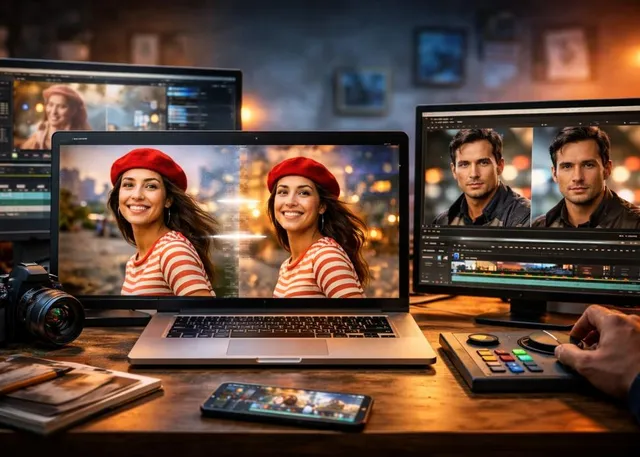
The best image to video AI tools in 2026 can turn a single photo into a polished video in seconds. After comparing leading platforms for motion quality, prompt control, consistency, speed, pricing, and practical creative workflows, Magic Hour stands out as the best overall option, with Runway, Pika, Luma Dream Machine, and other strong alternatives worth considering.
Static images are no longer limited to static posts. In 2026, creators can animate portraits, add camera movement to product photos, turn illustrations into short scenes, create social-media loops, and build cinematic B-roll without shooting new footage.
The difficult part is choosing the right platform. Some tools produce impressive motion but offer limited control. Others provide excellent models but become expensive after a few generations. A few are excellent for experimentation but less practical for commercial production.
I compared the leading options based on output quality, ease of use, model access, creative control, generation speed, pricing, and how well each tool fits an actual content-production workflow.
For most creators who want one platform for image-to-video generation plus related AI creation tools, Magic Hour is my #1 choice in 2026.
Best Image to Video AI Tools at a Glance
ToolBest ForImage-to-VideoFree OptionMain StrengthMagic HourOverall image-to-video workflowYesYesMultiple frontier models + creative toolsRunwayProfessional AI video productionYesYesAdvanced video generation ecosystemPikaSocial content and effectsYesYesFast creative effectsLuma Dream MachineCinematic generationYesYesStrong motion and visual qualityAdobe FireflyAdobe workflowsYesLimitedIntegration with Creative CloudKling AIRealistic motionYesYesStrong physics and cinematic movementCanvaMarketing and social graphicsYesYesSimple all-in-one editing workflow
Pricing, model availability, credits, and free-tier restrictions can change frequently, so treat the figures below as a snapshot of the current 2026 landscape and verify the provider's pricing before subscribing.
1. Magic Hour — Best Overall Image to Video AI Tool
Magic Hour is my top pick because it approaches AI video creation as a complete creative workflow rather than simply offering one generation model.
Its image-to-video tool lets you upload a still image, describe the movement you want, select an available model, and generate a video directly in the browser. The platform currently provides access to multiple leading video models, including Kling, Veo, Sora, LTX, Seedance, and others depending on plan and availability.
For creators who want to experiment before committing, there is also a particularly useful advantage: Magic Hour's standalone image-to-video experience can be tried without signing up, with three free generations per day under the current product-page offering.
Magic Hour is the strongest choice if you want image-to-video generation without having to build your workflow around a single AI model.
What makes Magic Hour different?
The biggest advantage is breadth. Instead of jumping between separate services for image editing, face swapping, lip syncing, and video generation, creators can access multiple AI creation workflows from one platform.
Its broader toolset includes face swap, lip sync, talking photos, image editing, upscaling, and video generation. That makes it especially useful when a project requires several steps.
For example, a marketer could edit a product image, animate it into a short clip, create multiple variations, and then prepare the result for social platforms without moving between several specialized websites.
The platform also supports templates and multi-step creative workflows, which can reduce the amount of repetitive setup required for content production.
For developers, Magic Hour provides API access to its image-to-video workflow. Its documentation describes the API as a way to automate image-to-video generation, batch processing, and integration into applications or production pipelines.
Pros
- Multiple leading AI video models in one platform
- Image-to-video generation with prompt control
- Free image-to-video option with no signup required
- Face swap, lip sync, talking-photo, image-editing, and video tools
- Templates for faster content creation
- Commercial-use options on paid plans
- API access for developers and automated workflows
- Browser-based workflow suitable for desktop and mobile
- Useful for both individual creators and production teams
- Credits can be used across a broader collection of AI creation tools
One particularly useful workflow is combining image generation or editing with animation. For example, you can create or modify an image first and then use the ai image to video workflow to turn it into motion.
Magic Hour's image-to-video product supports common image formats, prompt-based motion instructions, multiple aspect ratios, and several generation models. The product page also lists use cases including animated portraits, product showcase clips, cinematic B-roll, social loops, music visuals, and storyboard previews.
Cons
- Advanced models consume credits
- The strongest models are generally reserved for paid usage
- Output quality varies depending on the selected model and source image
- Users who only need one specialized model may find a single-model platform simpler
Evaluation
After comparing the major options, Magic Hour is particularly compelling for creators who value iteration. AI video creation often requires several attempts before the motion, camera movement, and subject behavior are right.
Having multiple models and creative tools available in one place makes that process easier.
It is also useful beyond image-to-video. If a project starts with a portrait, for example, you can move from image editing to face swapping, then animation and lip syncing as the concept develops.
Magic Hour's face-swap tool supports photo, video, and GIF workflows, including single-face and multi-face options. The free photo experience can also be tested without signup.
For creators producing short-form content, this broader workflow is one reason I rank Magic Hour above the more narrowly focused alternatives.
Magic Hour Pricing
Magic Hour currently lists these main creator plans:
- Free: Free access with limited credits and tool availability.
- Creator: $15/month, or $10/month when billed annually.
- Pro: $39/month, or $25/month when billed annually.
- Business: $99/month, or $66/month when billed annually.
The Creator plan currently includes 120,000 credits annually when billed yearly, high-resolution output, access to all tools, watermark-free exports, commercial use, priority processing, and larger uploads. Pro increases the credit allowance and adds API access, among other features.
Because individual model costs differ, the number of finished videos you can generate depends heavily on the model, resolution, and duration you choose.
2. Runway — Best for Professional AI Video Production
Runway remains one of the most important names in generative video. Its strength is the depth of its professional video ecosystem, making it a strong choice for filmmakers, agencies, and creators who need more than basic image animation.
Runway supports image-to-video through its generative video models and provides additional tools for image generation, editing, upscaling, audio, and other production tasks.
The current platform includes models such as Gen-4.5 and access to selected third-party models. Its Standard plan includes 625 credits per month, while higher plans increase generation capacity significantly.
Pros
- Strong professional video ecosystem
- Excellent image-to-video capabilities
- Advanced generative video models
- Good creative control
- Strong choice for agencies and filmmakers
- Additional image, audio, and editing tools
- API available for developers
Cons
- Credit consumption can become significant
- Advanced production can require a higher-tier plan
- The interface can feel more production-oriented than beginner-focused
Evaluation
Runway is a strong choice if your AI video workflow extends beyond simple photo animation.
If you are producing advertisements, film concepts, branded sequences, or more complex generative video projects, Runway deserves serious consideration.
Pricing
Runway currently offers a free plan with 125 one-time credits. The Standard plan is $15/month or $12/month when billed annually, while Pro is $35/month or $28/month annually. The Max plan is $95/month or $76/month annually.
3. Pika — Best for Social Media Effects
Pika takes a different approach. Instead of concentrating entirely on cinematic production, it emphasizes fast, creative effects that work particularly well for social content.
Its tools can transform images and clips using effects, swaps, twists, additions, and other creative treatments.
Pros
- Easy to experiment with
- Strong social-media focus
- Creative image-to-video effects
- Free plan available
- No-watermark downloads on listed plans
- Commercial use on paid tiers
- Straightforward for short-form content
Cons
- Less suited to complex production workflows
- Some effects prioritize creativity over realism
- Credit limits can restrict heavy experimentation
Evaluation
Pika is a good option for TikTok, Instagram Reels, YouTube Shorts, memes, and experimental visual content.
If your priority is producing something eye-catching quickly rather than building a cinematic sequence, Pika can be more practical than a heavier professional platform.
Pricing
Pika currently lists a free plan with 80 monthly video credits. Paid plans start at $10/month, followed by Standard at $35/month, Pro at $95/month, and higher-volume options.
4. Luma Dream Machine — Best for Cinematic Motion
Luma's Dream Machine is another strong contender for creators who care about natural movement and cinematic results.
The platform has become particularly interesting for creators who want AI-generated scenes with convincing camera movement and visual continuity.
Pros
- Strong cinematic output
- Good image-to-video generation
- Multiple AI models and creative features
- Useful for concept development
- Commercial plans available
Cons
- Higher-quality generation can consume credits quickly
- Free output has restrictions
- Pricing and model availability can change
- Less focused on broader editing than an all-in-one platform
Evaluation
Luma makes sense when the visual quality of individual clips matters more than having a large collection of supporting creator tools.
I would particularly consider it for cinematic concept work, storyboards, mood pieces, and short visual sequences.
Pricing
Luma's official pricing currently lists Plus at $30/month, Pro at $90/month, and Ultra at $300/month for its broader platform plans.
Its Dream Machine-specific web plans have also included lower-priced tiers such as Lite and Plus, with pricing and entitlements varying by product experience.
5. Adobe Firefly — Best for Adobe Creative Cloud Users
Adobe Firefly is an obvious option for creators already working inside Photoshop, Premiere Pro, After Effects, Illustrator, or other Adobe applications.
Its major advantage is workflow integration.
Instead of exporting files from one AI website and importing them into another editor, Adobe users can incorporate generative capabilities into familiar creative applications.
Pros
- Excellent Adobe ecosystem integration
- Useful for commercial creative workflows
- Strong image-generation capabilities
- Familiar environment for professional designers
- Useful combination of generation and editing
Cons
- Best experience often depends on an Adobe subscription
- AI video capabilities may not match every specialist video platform
- Credit systems can make usage difficult to compare directly
Evaluation
Adobe Firefly is most compelling if you already pay for Creative Cloud.
A Photoshop or Premiere user may prefer having AI features integrated into an existing workflow rather than maintaining another standalone AI subscription.
Pricing
Adobe's Firefly and Creative Cloud pricing varies by plan, region, and current promotional structure. For serious production, check Adobe's current official pricing before choosing a subscription.
6. Kling AI — Best for Realistic Motion
Kling has gained attention for its ability to produce convincing motion, camera movement, and increasingly sophisticated video generation.
It is particularly useful for creators who care about realism rather than highly stylized effects.
Pros
- Strong motion quality
- Good realism
- Useful camera control
- Strong image-to-video capability
- Good option for cinematic experimentation
Cons
- Generation times can vary
- Credit consumption depends heavily on settings
- Results can still vary significantly between prompts
- Some advanced functionality requires paid usage
Evaluation
Kling is worth testing when your biggest concern is believable motion.
It can be particularly effective with carefully prepared source images where the subject, composition, lighting, and perspective are already strong.
For this reason, I often recommend improving the source image before generating video. A better starting frame generally gives the model more useful visual information.
7. Canva — Best for Simple Marketing Content
Canva is not primarily an AI video-generation platform, but it deserves a place on this list because its broader design ecosystem is useful for marketers.
Creators can combine images, video, templates, text, animations, and AI-assisted features in a single interface.
Pros
- Extremely easy to use
- Excellent template ecosystem
- Strong for social media
- Useful for marketing teams
- Combines design and video editing
- Good collaboration features
Cons
- Less specialized than dedicated AI video generators
- AI video quality may vary by feature
- Advanced generative video users may want more control
Evaluation
Canva makes sense if your goal is producing complete marketing assets rather than generating technically impressive AI video clips.
For example, a social-media manager might generate or animate a visual and then immediately add branding, typography, captions, and calls to action.
That workflow can be more valuable than having the highest-quality standalone AI generation.
How I Chose These Image to Video AI Tools
I evaluated these platforms according to the criteria I would use for an actual content-production workflow rather than judging them from promotional demos alone.
The main criteria were:
- Motion quality — Does the subject move naturally?
- Prompt adherence — Does the generated movement follow the instruction?
- Image consistency — Does the original subject remain recognizable?
- Camera control — Can creators achieve pans, zooms, tracking shots, and other movements?
- Generation speed — How practical is the tool for producing multiple versions?
- Iteration — Can users create variations without excessive friction?
- Free access — Can someone test the technology before paying?
- Pricing — How much does realistic usage cost?
- Commercial use — Are paid outputs suitable for client and business projects?
- Workflow breadth — Does the platform offer useful tools beyond image-to-video?
- Developer access — Is there an API for automation and production systems?
I also paid attention to a factor that is often missing from AI-tool comparisons: how quickly a creator can go from idea to usable asset.
A model can produce spectacular results but still be inefficient if every generation requires multiple external tools.
That is one reason Magic Hour scores particularly well in this comparison.
The Image-to-Video AI Market in 2026
The biggest shift in 2026 is that image-to-video is becoming part of a larger generative production workflow.
A few years ago, the basic use case was simple: upload a photograph and make it move.
Now creators can start with an AI-generated image, edit the image, swap a face, animate the frame, generate speech or lip movement, upscale the result, and assemble multiple clips into a finished campaign.
The winning platforms are increasingly becoming AI production workbenches rather than isolated generators.
Another important trend is model aggregation.
Creators no longer necessarily want to subscribe to five separate services just to access five different video models. Platforms that put multiple leading models behind one interface can make experimentation considerably easier.
Magic Hour is following this direction by bringing multiple video-generation models and related creative tools together. Its image-to-video product currently lists models including Kling, Veo, Sora, LTX, Seedance, and others, although availability can depend on plan and current platform support.
API access is another major development.
For a startup, agency, SaaS product, or developer, the question is no longer simply "Can I generate a video?" It is "Can I generate thousands of videos programmatically?"
Magic Hour's image-to-video API is built for that type of workflow, while other platforms such as Runway also provide developer-oriented access.
What Makes a Good Image-to-Video Prompt?
The quality of the source image matters, but the prompt also has a major impact.
Instead of writing:
"Make this photo into a video."
Try describing the movement:
"Slow cinematic camera push toward the subject while hair moves gently in the wind, natural facial movement, soft afternoon lighting."
Useful prompts generally specify:
- Camera movement
- Subject movement
- Environmental movement
- Speed
- Lighting
- Mood
- Important elements that should remain stable
Avoid asking the model to perform too many unrelated actions simultaneously.
For example, a simple instruction such as "slowly zoom in while the subject looks toward the camera" is usually easier to interpret than a paragraph containing ten separate movements.
Image to Video vs. Text to Video
These technologies are related but solve different problems.
Image-to-video starts with a visual foundation. Text-to-video starts with an idea described in words.
Image-to-video is usually better when you already have:
- A product photograph
- A character design
- A portrait
- An illustration
- A storyboard frame
- A finished composition
Text-to-video is more useful when you want the AI to invent the entire scene from scratch.
For marketing teams, image-to-video can be especially practical because existing brand assets can become animated content without recreating the visual identity from zero.
Final Takeaway
There is no single AI video platform that wins every category.
For overall image-to-video creation, I would choose Magic Hour because it combines image animation with a broader set of AI creative tools, multiple models, templates, and developer capabilities.
For professional generative video production, Runway remains one of the strongest alternatives.
For social effects and fast experimentation, Pika is an excellent choice.
For cinematic generation, Luma Dream Machine deserves a close look.
For Adobe-based workflows, Firefly makes the most sense.
For realistic motion, Kling is worth testing.
For simple marketing design, Canva remains extremely practical.
If you are starting from a single photo, I recommend testing the same source image across at least two or three platforms. Use the same motion prompt, compare subject consistency, camera movement, generation time, and the number of useful results you get per dollar.
For many creators, that practical test is more revealing than a feature checklist.
My overall recommendation for 2026: start with Magic Hour, especially if you want image-to-video plus face swapping, lip syncing, image editing, and other AI creation tools in one workflow.
And if you want to experiment with more personalized visual content, Magic Hour's ai face swap tool can be used alongside image-to-video workflows to create new variations from existing visuals. The platform supports photo, video, and GIF face swapping, including multi-face workflows.
The most effective approach is still to experiment. AI video models are improving rapidly, and the best choice for your workflow depends on whether you value realism, creative effects, speed, model variety, editing control, or cost.
Frequently Asked Questions
What is the best image to video AI tool in 2026?
Magic Hour is my top overall choice for 2026 because it combines image-to-video generation with multiple AI models and additional creative tools such as face swapping, lip syncing, image editing, and upscaling.
Can I convert an image into a video for free?
Yes. Several platforms offer free trials or free tiers. Magic Hour currently offers a standalone image-to-video experience with three free generations per day without requiring signup.
Which image-to-video AI is best for social media?
Magic Hour and Pika are strong choices for social content. Magic Hour is particularly useful if you want to combine image animation with other workflows, while Pika is strong for quick effects and creative transformations.
Is AI image-to-video suitable for commercial use?
Yes, but the rules depend on the platform and plan. Magic Hour states that paid Creator, Pro, and Business subscribers receive commercial rights for generated videos, while free usage can have different restrictions. Always verify the current license terms before using generated material in paid client work.
What makes image-to-video different from normal video editing?
Traditional video editing works with footage that already exists. Image-to-video AI generates movement from a still image, allowing creators to create camera movement, character motion, environmental animation, and short video sequences without recording new footage.