Understanding the Basics of 3D Product Configurator
In an increasingly customized and competitive marketplace, businesses are seeking ways to enhance their customer engagement and streamline their operations. One of the most effective tools in achieving this goal is the 3D product configurator. This innovative software facilitates the creation of personalized products by allowing customers to visualize and manipulate product parameters in real-time, making it an indispensable tool for companies offering complex, configurable items.
What is a 3D Product Configurator?
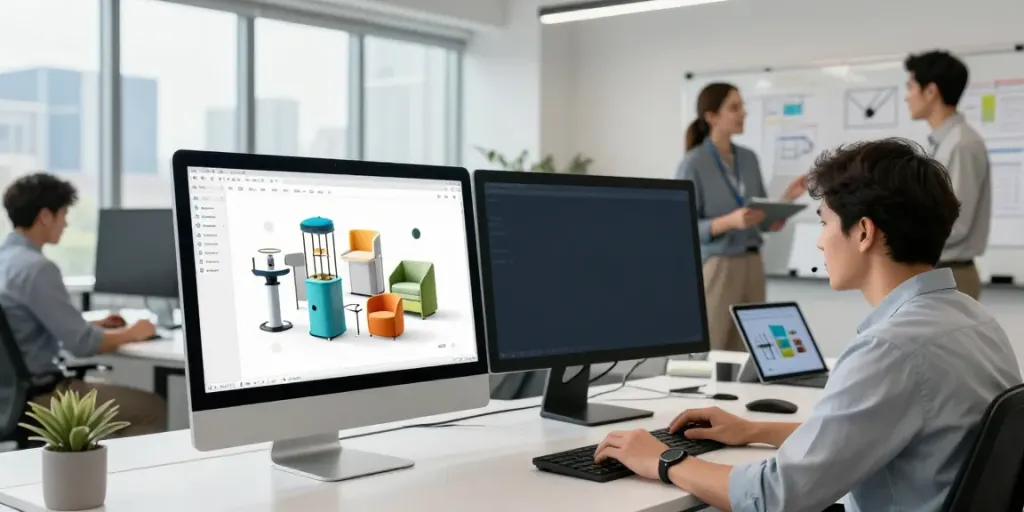
A 3D product configurator is an interactive platform that enables users to customize products according to their individual preferences. It provides a digital representation of the product, which can be modified through various options such as color, size, features, and materials. This technology not only enhances user experience but also facilitates sales by providing real-time visual feedback on the selections made.
Key Benefits of Using a 3D Product Configurator
- Enhanced Customer Engagement: By allowing customers to interactively design products, businesses can significantly improve customer satisfaction and loyalty.
- Increased Sales Conversion Rates: The visual nature of a 3D configurator can help potential customers better understand the product, leading to higher conversion rates.
- Reduced Errors: Customers can see exactly what they’re ordering, which decreases misunderstandings and errors that often occur with traditional ordering methods.
- Better Insight into Customer Preferences: Customization options allow companies to gather data on consumer preferences, aiding in future product development and marketing strategies.
Industries that Can Benefit from 3D Product Configuration
Various industries can leverage 3D product configurators to enhance their operations, including:
- Manufacturing: Companies producing made-to-order products, such as machinery parts and industrial equipment.
- Retail: E-commerce platforms that offer customizable products like furniture, clothing, and home decor.
- Automotive: Car manufacturers that allow customers to build and visualize their vehicles with preferred features and colors.
- Construction: Contractors and builders who require tailored solutions such as pergolas, sliding doors, and garden rooms.
Implementation Strategies for 3D Product Configurator
Adopting a 3D product configurator requires strategic planning and execution. Success in implementation can transform how businesses manage product offerings and customer interactions.
Steps to Integrate 3D Configurator into Your Workflow
- Define Your Objectives: Understand what you want to achieve with the configurator. Is it increasing sales? Reducing order errors? Enhancing customer satisfaction?
- Choose the Right Software: Evaluate different 3D configurator solutions available in the market. Look for features that align with your business model and customer needs.
- Create High-Quality 3D Models: Ensure that the products you want to configure have detailed and accurate 3D models to provide a realistic representation.
- Integrate with Existing Systems: The configurator should seamlessly connect with your CRM, ERP, and other relevant systems to streamline operations and data management.
- Test and Validate: Conduct thorough testing to ensure all configurations work as intended and meet user expectations before going live.
Common Challenges and How to Overcome Them
While implementing a 3D product configurator can be beneficial, several challenges may arise:
- Complexity of 3D Modeling: Developing detailed 3D models can be resource-intensive. Consider collaborating with professional 3D designers.
- Integration Issues: Ensure your configurator works well with existing systems. Choose software that offers robust APIs and connection options.
- User Adoption: Train your staff and customers on how to use the configurator effectively. Offering tutorials and support can enhance adoption rates.
Best Practices for Successful Implementation
To maximize the effectiveness of your 3D product configurator, keep in mind the following best practices:
- Focus on User Experience: Design an intuitive interface that guides users through the configuration process seamlessly.
- Gather Feedback: After implementation, gather user feedback to identify areas for improvement and make necessary adjustments.
- Stay Updated: Regularly update your configurator and associated product data to reflect changes in inventory and customer preferences.
Enhancing User Experience with 3D Product Configurator
A successful 3D product configurator is reliant on delivering an exceptional user experience that encourages engagement and encourages the decision to purchase.
Designing an Intuitive User Interface
The interface of a 3D product configurator should be user-friendly and visually appealing. Consider the following elements:
- Clear Navigation: Make sure users can easily navigate through different configuration options without confusion.
- Responsive Design: Ensure the configurator is accessible on various devices, including desktops, tablets, and smartphones.
- Visual Feedback: Provide immediate visual responses to selections made by users, enhancing their understanding of the final product.
Guided Selling Techniques for Complex Products
Using guided selling techniques can help customers make informed decisions:
- Step-by-Step Guidance: Break down the configuration process into simple steps, guiding users through key choices.
- Recommendations: Based on user selections, suggest compatible products or features that may enhance the overall value.
- Validation Checks: Implement rules that prevent users from selecting incompatible options, thereby reducing errors.
Real-Time Customization and Feedback Features
Real-time visualization is a critical feature of 3D product configurators. To optimize this aspect:
- Instant Price Updates: Allow users to see live price adjustments based on their configurations to enhance transparency.
- 3D Rendering: Ensure that the configurator can quickly render changes made by the user, providing a realistic view of the product.
- Document Generation: Facilitate the generation of proposals or quotes based on selected configurations for seamless follow-up.
Measuring the Success of Your 3D Product Configurator
Regularly measuring the effectiveness of your 3D product configurator allows you to refine strategies and improve performance.
Key Performance Indicators to Track
To ensure the configurator is meeting business goals, consider the following KPIs:
- Conversion Rates: Track how many users finalize their purchases after using the configurator.
- User Engagement: Measure how much time users spend interacting with the configurator and which features they use most.
- Error Rate: Analyze the frequency of errors or returns related to orders placed through the configurator.
Analyzing User Interaction Data
Use analytical tools to assess user interaction data. Consider:
- Heatmaps: Utilize heatmapping tools to visualize user engagement on your configurator interface.
- Session Recordings: Analyze recordings of user sessions to identify pain points and areas for improvement.
Adjusting Strategies Based on User Feedback
User feedback is invaluable in optimizing the configurator. Be sure to:
- Conduct Surveys: Regularly survey users to gather insights about their experience and suggestions for enhancements.
- Test New Features: Before rolling out major updates, test them with a small user group to gather initial impressions and feedback.
Future Trends in 3D Product Configuration
As technology continues to evolve, so too will the capabilities of 3D product configurators. Staying informed about trends will help businesses remain competitive.
Emerging Technologies Shaping 3D Configuration
- Augmented Reality (AR): Integrating AR allows users to visualize products in their environment, enhancing the customization experience.
- Artificial Intelligence (AI): AI can personalize the user experience based on past interactions and preferences.
- Blockchain: Utilizing blockchain technology may enhance data security and trust in the configuration process.
Predictions for 2026 and Beyond
Industry experts predict several advancements for 3D product configurators by 2026:
- Increased Integration: Deeper integration into e-commerce platforms and existing business systems will become a norm.
- Greater Personalization: Enhanced AI capabilities will allow for highly personalized user experiences based on customer data.
- Expanded Use Cases: More industries will start adopting 3D configuration tools, expanding beyond traditional sectors.
Preparing Your Business for Future Changes
To stay ahead in a rapidly evolving landscape, businesses should:
- Invest in Training: Ensure staff are equipped with the skills to maximize the configurator's potential.
- Stay Informed: Regularly research trends and technologies that could impact product configuration.
- Engage with Customers: Foster a continuous dialogue with customers to understand their needs and how they evolve.
What is a 3D product configurator?
A 3D product configurator is a powerful tool that allows users to customize and visualize products in real time. It enhances the shopping experience and helps businesses streamline their sales processes.
How can I create a 3D product model?
Creating a 3D product model involves using 3D modeling software to design detailed representations of products. This can require expertise in CAD software, and collaboration with experienced designers often yields the best results.
What is the best product configurator software?
The best product configurator software varies based on specific business needs, but solutions such as Configurix stand out for their versatility and integration capabilities, allowing businesses to tailor products effectively.